
A quick map of everything in the product. Grouped by what your team actually does with it, not by which integration it talks to.
Plan the day
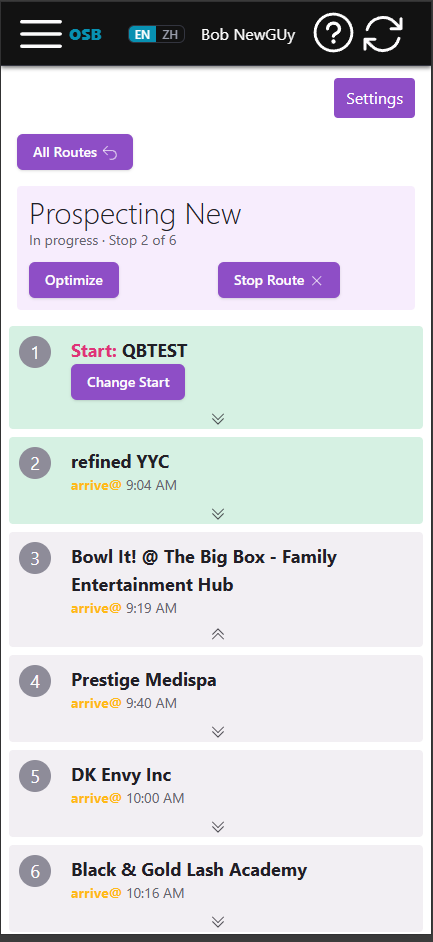
Route planning
Order a list of stops, with or without traffic. Save a route per rep.
Calendar integration
Google Calendar, two-way. Visits push to the calendar, events pull back as visits.
Run the visit
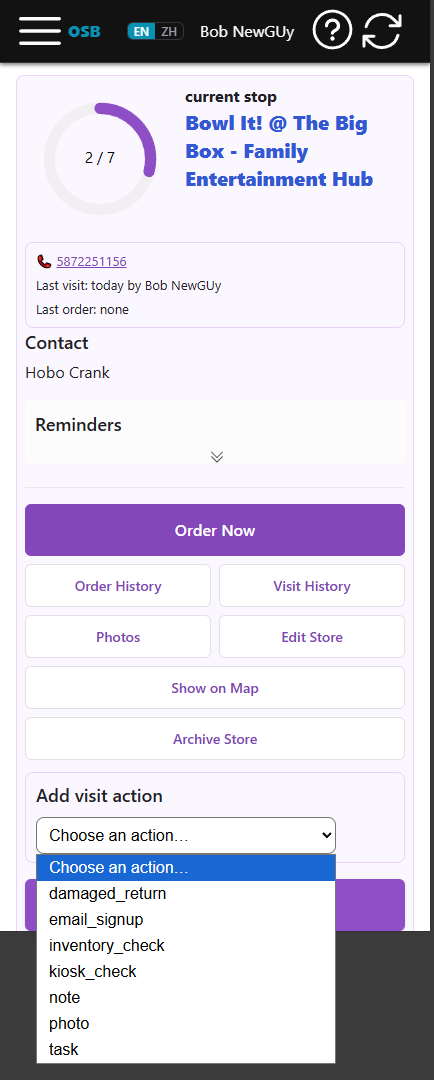
Offline-first mobile App
Installs on iOS and Android, your logo on the home screen, works when the signal drops.
Capture what happened
Configurable visit actions, feedback notes, order-on-the-spot.
Take the order
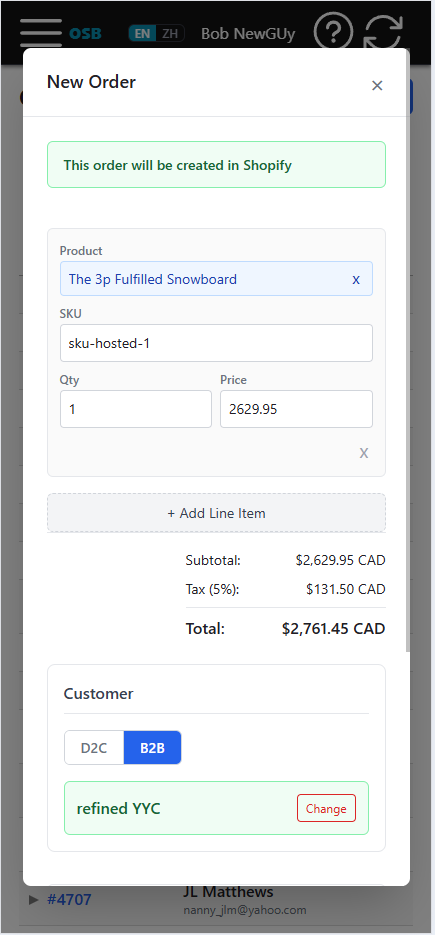
Order form that knows your products
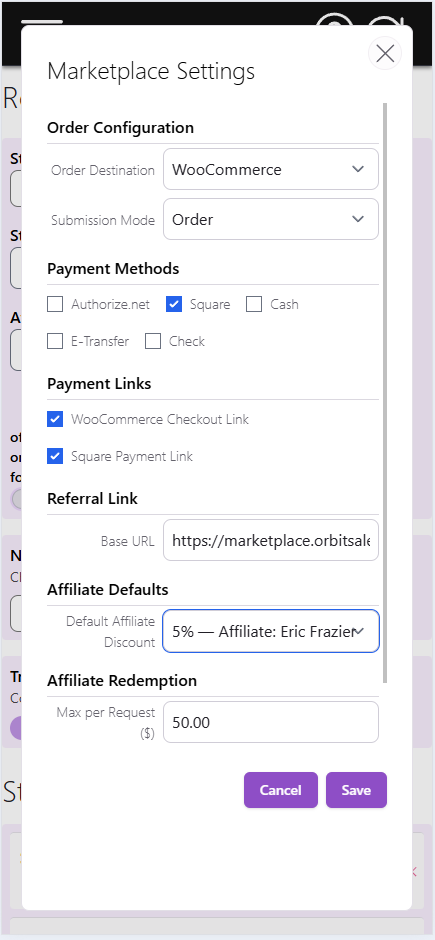
Pulled from Shopify, WooCommerce, Square, or native inventory.
Pay now with a card
Square Web Payments or Authorize.net. Tokenized in the browser; card details never touch our servers.
Send a payment link
Square, WooCommerce, or QuickBooks payment link, emailed with a Complete Payment button.
Offline payments recorded too
Cash, e-transfer, check.
Tax captured
Sits on the order so the destination system can reconcile.
Serve your customers directly
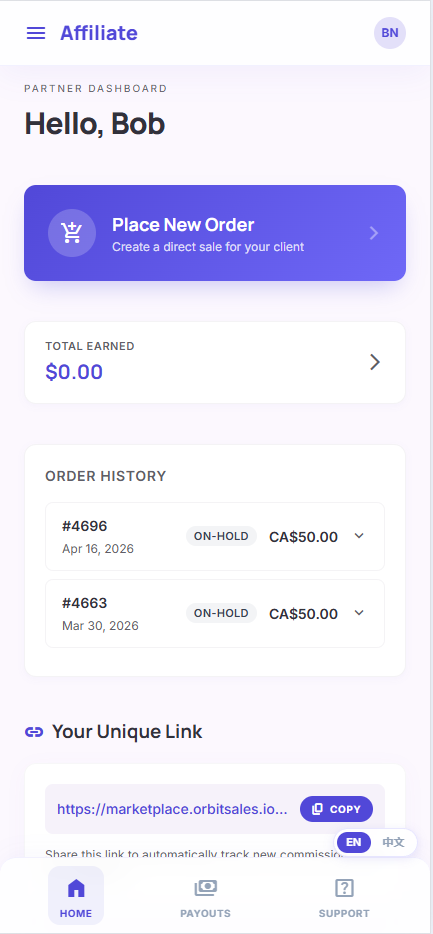
Marketplace App
A separate installable App under your brand. Installs on iPhone and Android with your logo on the home screen.
Affiliate App
The Affiliate App serves the full range from a customer fan earning store credit, up to a professional affiliate making a living. Referral links, native sharing, commission history, and a view of the orders each affiliate drove.
Store App for B2B customers
A customer-facing ordering App your retailers use to place wholesale orders directly.
Keep your books
QuickBooks invoicing
Auto-create invoices on B2B orders, payment links, connections that stay active on their own.
Transaction log
Every charge, link, or offline payment recorded against the order.
Discounts, store credit, wholesale pricing
Every discount type
Percentage, fixed amount, wholesale price overrides, store credit, free shipping, buy-X-get-Y. One record, one audit trail.
Triggers
Discount code, the buyer's identity, an order minimum, a quantity threshold, a customer tag, always-on (custom periods).
Affiliates built in
When an affiliate submits an order on a customer's behalf, the customer's discount applies automatically and the affiliate's reward (store credit or cash commission) is logged in the same pass.
Wholesale pricing as price overrides
Fixed prices per SKU per customer (or per price group). Stands outside the discount pipeline because it replaces the price rather than reducing it: standing agreements without per-order configuration.
Notifications and reminders
Reminders tied to a specific customer
"Follow up with this account next Tuesday" or "check in with this buyer every 30 days." Each reminder is anchored to a customer record, so it shows up wherever that customer shows up.
One-off and repeating
Set a reminder for a single date, or a recurring cadence (weekly, monthly, custom interval). Repeating reminders keep firing on schedule until you close them out.
Three channels
Email, SMS, or in-App, picked per reminder. In-App alerts arrive live while reps are on the road.
On-my-way and running-late alerts
One-tap "on my way" or "running late +10 / +15 / +30" from the route runner. The customer gets the message. Dispatch sees the update at the same time.
Store-level opt-in
Each customer account decides whether they accept SMS and email from you. No bulk outreach without consent.
Google Calendar sync
Reminders that belong on a rep's calendar land there automatically and update when they change.
Talk to your customers
Order confirmations, payment links, and receipts send through your own email provider. Your branding, your account.
SMS
Twilio for transactional and operational messages, opt-in per store.
Mailing lists
We import your lists and contacts, track each customer's opt-in status, and tag contacts by what they actually buy. Switching providers is a setting change.
Keep your systems in sync
Cross-vendor customer identity
The same email in Shopify and Mailchimp = one person in Orbit Sales.
Row-level source tracking
Every record knows which system it came from.
Vendor-role architecture
You tell us which system does which job (order destination, payment processor, mailing list, accounting) and we route accordingly.
Scale
Multi-tenant
Each business is isolated at the database level.
Separate worker processes
API, scheduler, payments, and marketplace run independently.